Keep track of where your Cash-in account is accessed.
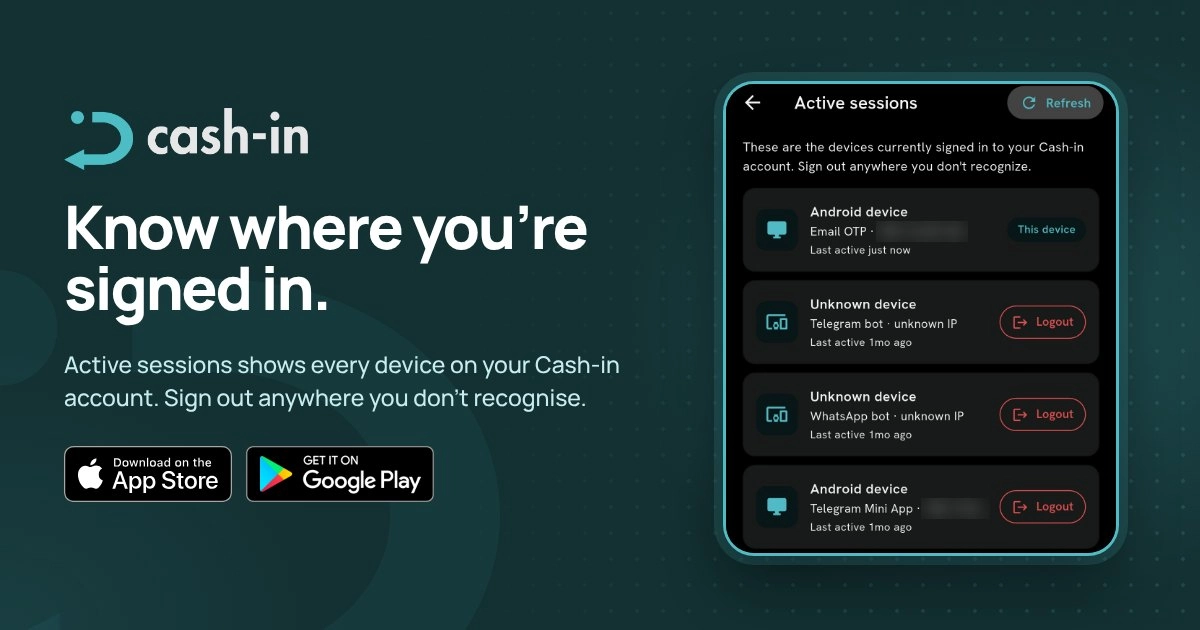
You can now view and manage your active sessions on Cash-in, giving you more visibility into the devices currently signed in to your account.
Keep track of your account sessions
When you access your Cash-in account from different devices, it's useful to know where your account is currently active.
The active sessions feature lets you review your signed-in sessions and manage access to your account.
How to manage your active sessions
1. Open your Cash-in app.
2. Go to the Profile section.
3. Find and select Active Sessions under App Settings.
4. Review the devices or sessions currently signed in to your account.
5. Select the session you want to manage.
6. End any session you no longer want to keep active by tapping Logout, or select Sign out on all other devices to end the other active sessions.
More visibility into your account
Managing your active sessions gives you a clearer view of where your Cash-in account is being accessed.
If you notice a session you don't recognize, you can end it to help protect your account.
Stay informed. Keep track of your sessions. Keep your Cash-in account secure.